

How to create a Zalo Official Account for business (Zalo OA) by Lucid Gen will give you content examples to fill in OA information. Moreover, you will proactively follow Zalo’s documentation to save time. Let’s get started!
What is Zalo Official Account?
Just like the Facebook fan page, Zalo Official Account is a page that represents businesses, shops, artists, or other organizations. You can create Zalo OA with a completely free personal account (it’s free to create, to thrive, your money must be strong).
Suitable products and services for Zalo OA
I know these days; everyone wants to expand multi-channel; Zalo is also an option that you can easily think of. However, not all products or services work well on Zalo OA.
In theory, any business can create a Zalo Official Account. In fact, Zalo OA is very suitable for products and services like this:
- Functional foods, dietary supplements, specialty drugs.
- Cosmetics & beauty products for men and women.
- The product helps to solve secret problems, difficult to say.
- The product has a middle-aged audience, the elderly mainly use Zalo more than Facebook.
- Unique products are hard to find but the price is not high.
The types I listed above, if the website ads are approved, the rice will always come back; a few hundred explosions every day is normal. To be honest, I used to run Zalo Ads with more than 150 orders a day, but it’s not regular ^_^
How to create Zalo Official Account
Step 1: You visit oa.zalo.me page and click Create Official Account button.

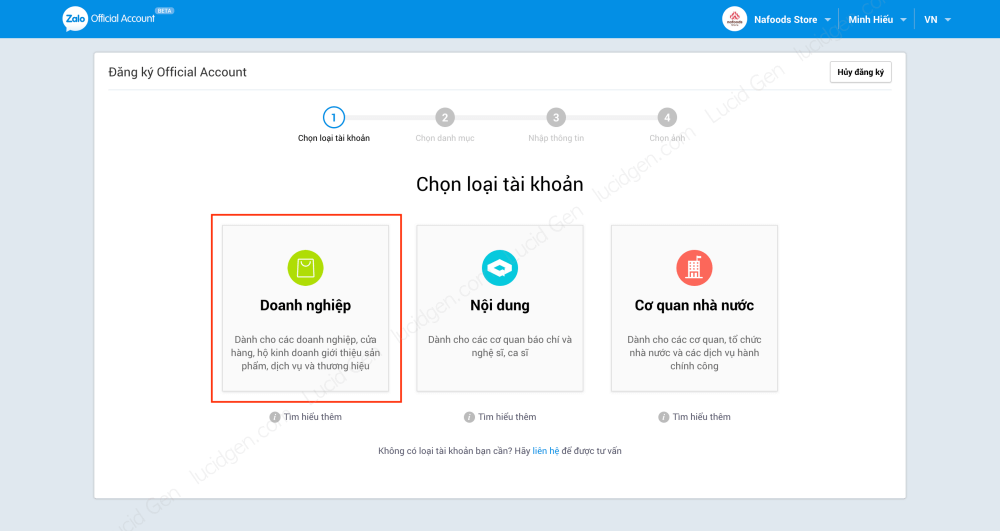
Step 2: You choose the Business account type.
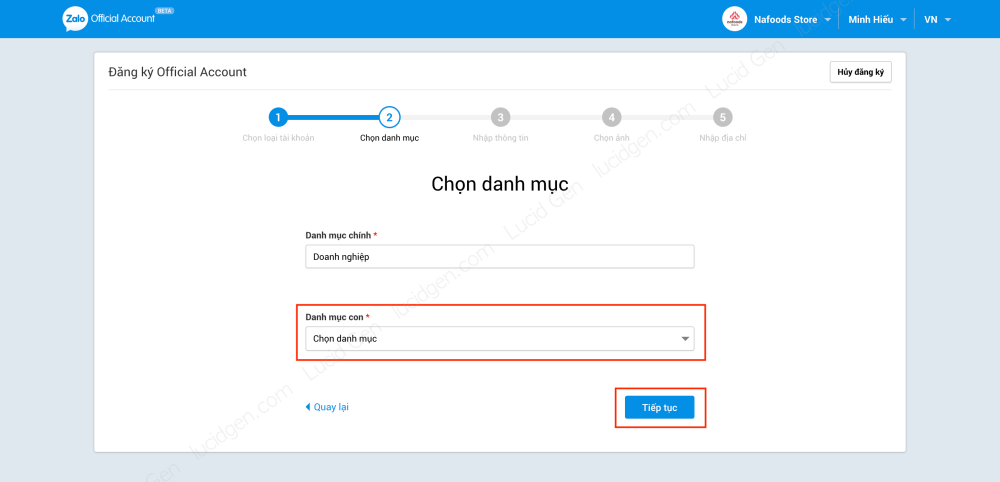
Step 3: You select the appropriate subcategory for your products and services and then click Continue.
Step 4: You Enter information for the Zalo Official Account follows these instructions:
- Official Account title: you must put your brand name clearly, not generic names or product keywords. For example: Nafoods Store. This is the new rule of Zalo Offical Account, if you do not comply, it will not be approved.
- Description: you briefly introduce the purpose you create Zalo Official Account for. For example: Nafoods Store is a subsidiary of Nafoods Group, Nafoods Store sells fresh fruit and dried fruit products to the Vietnamese domestic market.
- Contact name : your name.
- Contact phone: your phone number, no need to be the hotline number for Zalo Official Account.

Step 5: you add a cover photo and avatar for the Zalo Official Account and then click Continue.
- Profile picture: You should use the image of the brand logo icon for your avatar (after approval, you can change anything) . Recommended size 150×150. The size should not exceed 1MB.
- Cover photo: Recommended size 1024×533. Size not more than 1MB

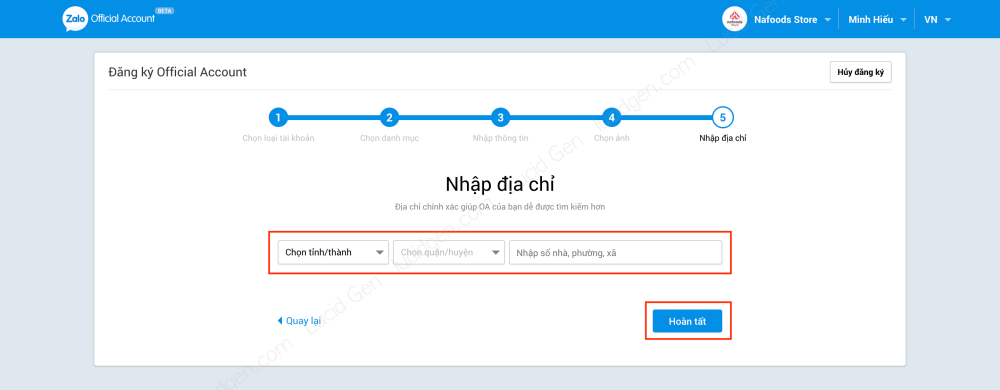
Step 6: Enter the address for your Zalo Official Account and then click Finish.
Additional information for Zalo Official Account
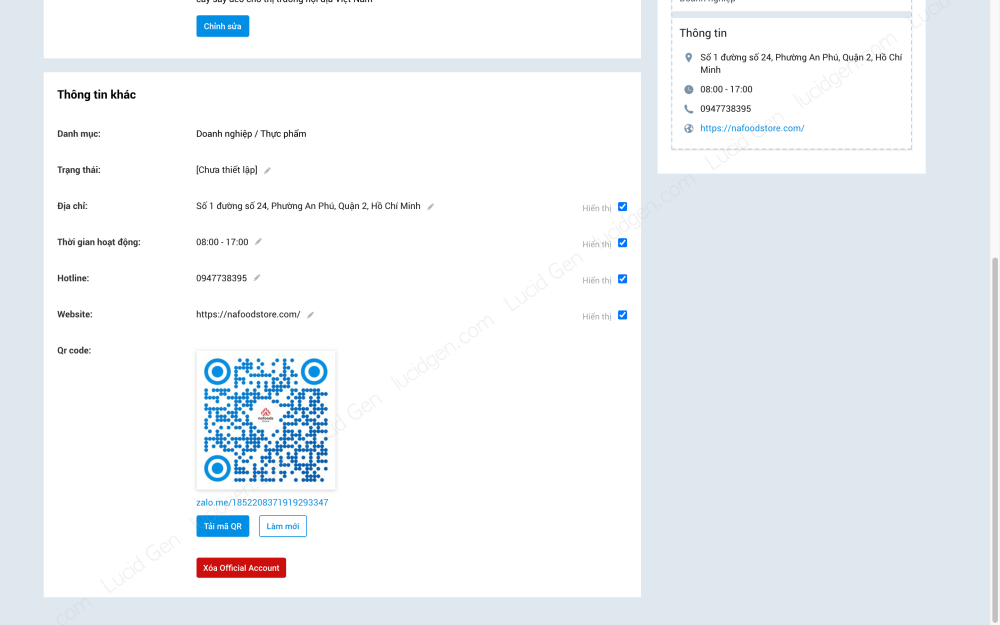
You need to add account information to increase the approval rate. You click Manage in the menu above and select Account Information. Below is the OA image I filled out for your reference.
In the Account Information section, you will use the Official Account ID and Official Account Name to submit an approval request; you will know shortly.

You need to add other information to be more complete, including:
- Operating hours : your office hours.
- Hotline: doesn’t have to be your phone number, but it should be the same as the one on the website.
- Website: if you have a “decent” website, this is an advantage, ensuring fast approval.
The trick in this section is that all the information on your Zalo Official Account should match the information on your website.
How to send a quick Zalo Official Account approval request
Since June 22, 2022, Zalo will collect fees for OA. So now I have to spend money to activate OA and pay monthly. Please see details here.
Update: Now you need a business license, guys.
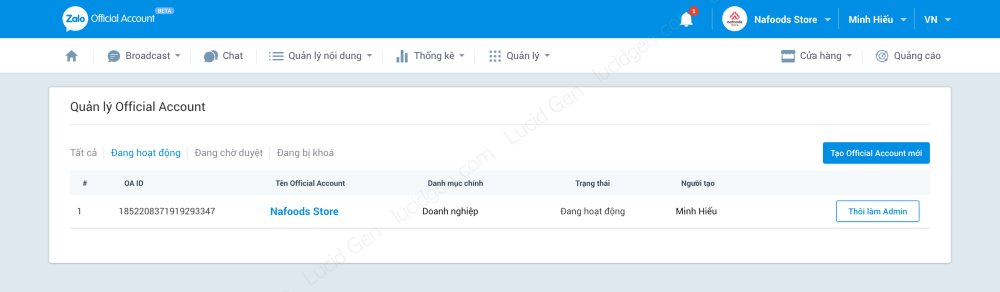
Visit the page oa.zalo.me/home you will see OA working like this.
Conclusion
Instructions on how to create a Zalo Official Account for business (Zalo OA) by Lucid Gen will be highly successful if your business is selling “decent” products and services because this is a reviewer, so they check very accurately. . Those who have a decent website, the information on the website matches the Zalo OA account information, the browsing is speedy.
How did you find this article? Leave your comments below to let me know if you can follow the instructions. Good luck!


