

One of the ways to prevent website content theft is to file a DMCA copyright infringement report with Google. If you ever find other websites copying your content without linking back to the original article (a backlink), you can report them to Google to protect your website content, your brainchild.
Things to know before you report
If this is your first time filing a DMCA report with Google, read through the points below so you are well prepared.
Give them a chance to fix their mistake
Lucid Gen would like to suggest a more peaceful approach before you decide to report to Google. Email the owner of the infringing website and ask them to delete the article or add a backlink to your original. Give them 3 to 7 days to fix it. Keep the email serious and firm, but never rude.
Lucid Gen suggests this out of “sympathy” between people in the same trade. Maybe they are just trying to make a living for their family, maybe they don’t know how serious the consequences of copyright infringement can be, and maybe that website is the passion project they built as their very first site. Give them a chance to fix their mistake. If they don’t, it’s not too late to report them.
Consequences for a website reported under the DMCA
“Every mistake has a price” is a familiar saying in every profession. If they infringe your copyright and your report to Google succeeds, they will face the following consequences.
- Violating content is removed from search results.
If Google approves your copyright infringement report, all infringing URLs will be removed from search results. - SEO and overall search rankings are affected.
When a batch of URLs disappears from search results, traffic drops, and the SEO performance of their other content can suffer as well. - Google rates infringing websites poorly.
Copyright infringement is one of the things Google dislikes most on its platform. Someone once told Lucid Gen that a domain successfully reported for copyright infringement is pretty much “done for”.
You must be the author of the article
It may sound obvious, but Lucid Gen wrote this section for anyone planning to “cry thief while stealing”. There have been many cases where the copier files a copyright report against the real author. It’s almost funny, because no real author will just sit back and let that happen. The real author can appeal to Google with all the evidence they have, and they usually win. The copier then has the infringing content removed, faces the consequences listed above, and loses Google’s trust in any future disputes.
DMCA protection gives you an advantage
There are many ways for real authors to prove their content was stolen, for example, adding logos to their images before they were stolen, or having their content indexed first… Using a DMCA protection service also gives you an advantage when reporting to Google. If Google asks for more information about your report, DMCA protection helps show that your article was protected earlier than the copy on the infringing website.
How to report copyright infringement to Google under the DMCA
Submit a copyright infringement report to Google
Step 1: Visit reportcontent.google.com/forms/dmca_search and fill in the contact information as follows.
- First name: your first name.
- Last name: your last name.
- Company name: can be left blank.
- Copyright holder you represent: Myself. Tick the confirmation box.
- Email address: your email, ideally the Gmail account that manages your website’s Google Search Console.
- Country/Region: your country (Vietnam in my case).
- Is the submitted information related to the unauthorized streaming of an upcoming live event? No.

Step 2: Fill in the details of the URLs that copied your content. This section has 3 parts.
- Identify and describe the copyrighted work: paste the copied text here. You can also paste your image URLs, up to 500 characters.
- Where can we see an authorized example of the work? The URL of the original content on your website.
- Location of infringing material: The URL of the copied content on the infringing website.

Step 3: Tick all the statements below, fill in today’s date and your full name as the signature, then submit.

View report results
You can review your DMCA reports and their status at reportcontent.google.com/dashboard.
- Accepted URLs: Google has reviewed and removed the violating URLs from search results.
- Rejected URLs: Google did not approve them. You need to report again with more accurate information, and Google may email you to ask for more details.
- Pending URLs: Just wait a little longer. Results usually come within 3 to 7 days.

If your report is convincing enough, Google will remove the infringing URLs from search results and notify the violating party. If it isn’t convincing enough, Google will email you asking for more evidence against the infringing party. Read on for a real case from Lucid Gen.
Provide additional information if Google requests it
If your DMCA report isn’t convincing enough, Google will email you asking for more evidence against the party that copied your content.
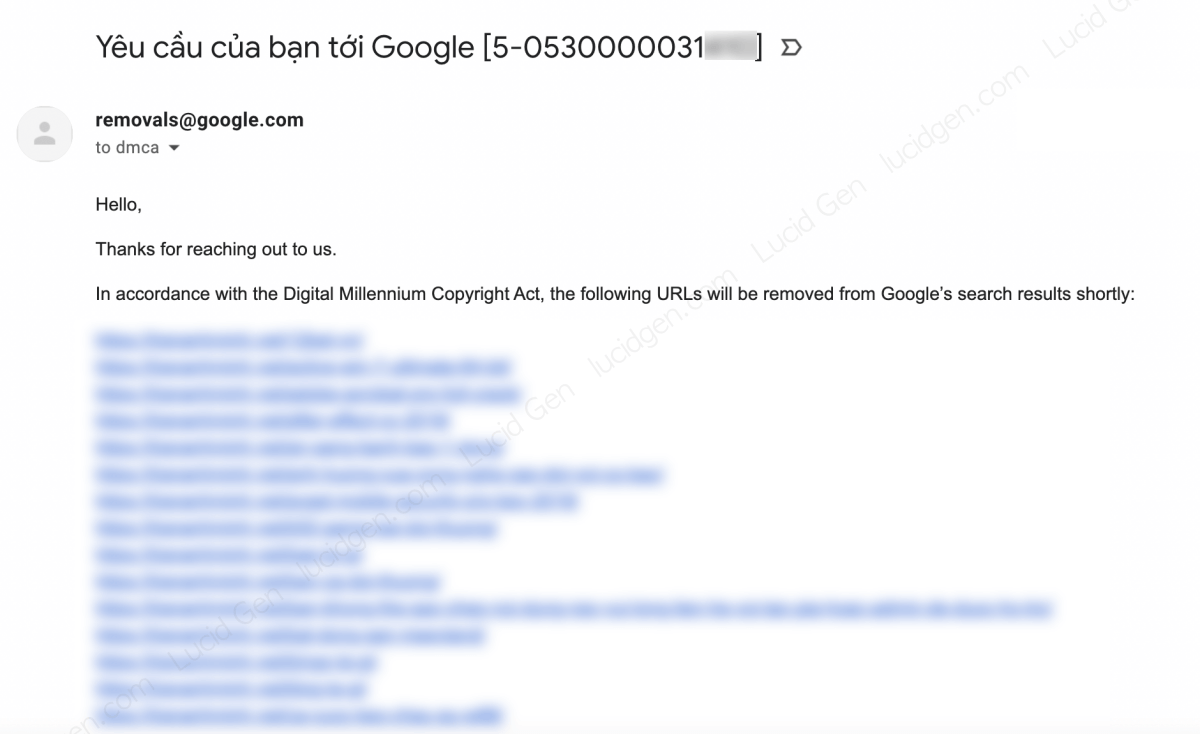
In the example below, Lucid Gen reported 181 URLs from a website that had used Lucid Gen’s content and images. Because the report covered so many URLs, Google asked me for more information to prove the infringement.

You need to reply to Google in English, and using Google Translate is fine. In your reply, point out exactly where the other party infringed and provide more evidence that the content is your own work.

After 3 to 7 days, Google replied to Lucid Gen, and all 181 URLs were removed from search results.
How to retract a Google DMCA copyright infringement report
If you and the infringing party reach an agreement and they remove the content or add a backlink for you, you can retract your copyright report. Send Google an email like the one below.
To:
removals@google.comSubject:
Retract my take down caseBody:
Dear Google team
I want to retract my take down case.
X-XXXXXXXXXXXXX
I have been able to contact the infringing website owner and they have agreed to change the infringing content.
Thank you very much!Send this email from the address you used for the report, or from your website’s domain email set up in Gmail.

After 3 to 7 days, Google will let you know that the reported URLs have been reinstated in search results.

Conclusion
Besides reporting copyright infringement to Google, you can use several other methods to proactively prevent web scraping (automated copying of website content). If the copies don’t hurt your rankings, you can also just ignore them, because Google still knows your content is the original (as long as yours was indexed first). After all, only websites with quality content get copied. Did you find this article useful? Leave a comment below to share your thoughts.


