

When a Facebook page is brand new, getting real likes mostly comes down to inviting your friends to like the page or running ads. In this article, I’ll show you how to invite people you don’t know to like your page, plus a few other tips to get real likes for your Facebook page.
What are real Facebook page likes?
Real likes are likes that come from real users.
- Their accounts are active and used normally.
- When real people like your page, they may see your new posts every time you publish, which increases your reach.
Fake likes, on the other hand, come from accounts that have been hijacked and are used only to buy and sell likes.
- Those accounts are no longer active and don’t post photos or statuses anymore.
- Even if your page has millions of fake likes, your posts will get almost no reach.
Don't buy fake likes or someone else's Facebook page
I recommend that you don’t buy fake likes because they only make the fan count look good, while your posts get no reach. Buying someone else’s Facebook page is not a good idea either: Facebook does not allow buying or selling Pages, the page can be restricted or removed at any time, and its old fans are usually not your customers.
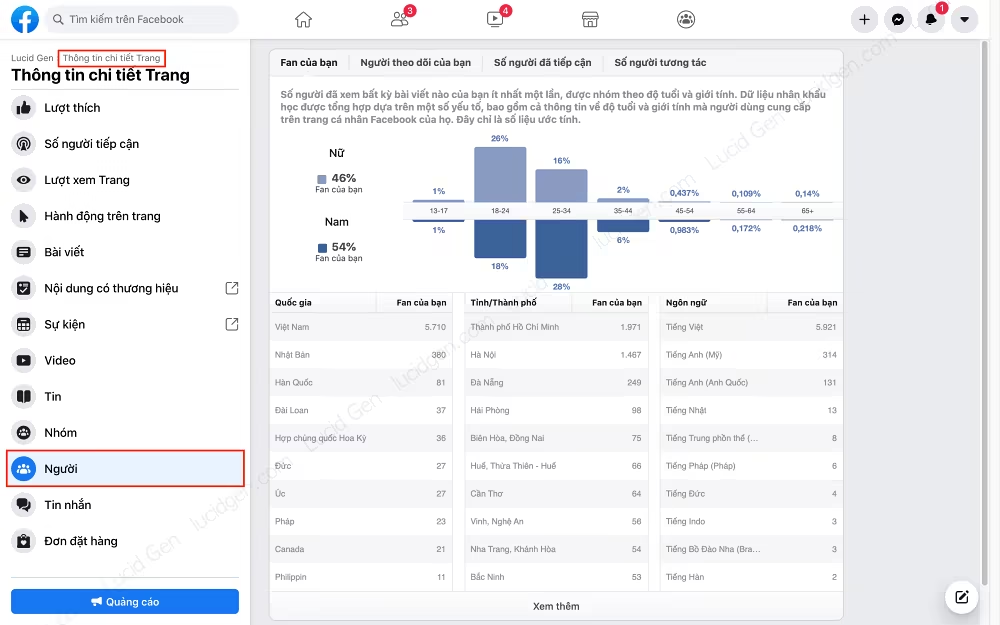
Instead, regularly check the people who have liked your page to see how good your fan base really is:
- Compare the engagement and reach of your posts with your number of likes.
- Check whether the demographics of your fans match the products and services you sell. What percentage are men and women, and which age group is the largest?
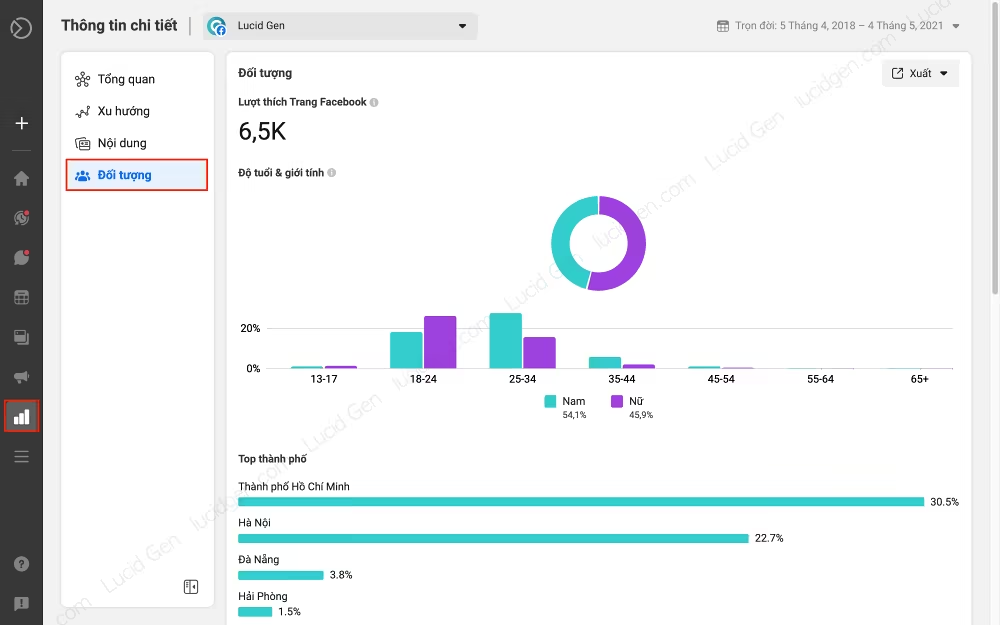
You can also use business.facebook.com/latest/insights/people to see the same data in the newer, more colorful interface.
How to invite friends to like the page
Your friends are the people most willing to like your page first, so make the most of them when your page is new. Open your Facebook page on a desktop computer at https://www.facebook.com/your-page
Scroll down and look for the Community section in the right sidebar. There you will find the Invite friends to like this Page button.
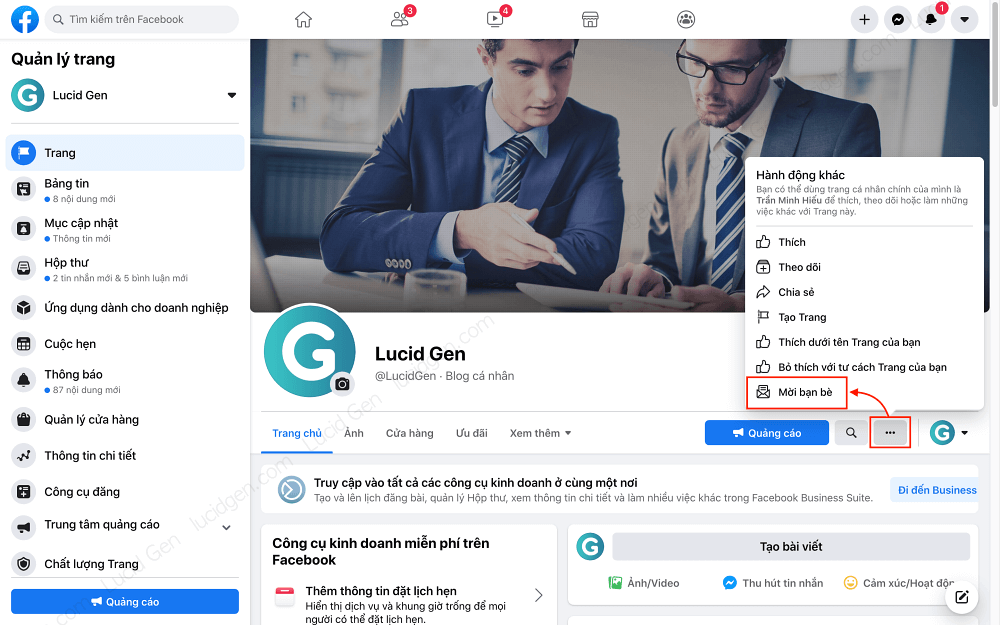
Click it and a window appears. You can add a message like “Please like my page. Thank you!” The recipient gets your message along with an invitation to like the page. I don’t use this option myself because it is limited to 50 people at a time, and I feel it’s a bit annoying for the recipient. If you only invite close friends, though, it can be useful.
In the current version, you don’t need any tools. Just click Select All, then Send Invites, and you’re done.
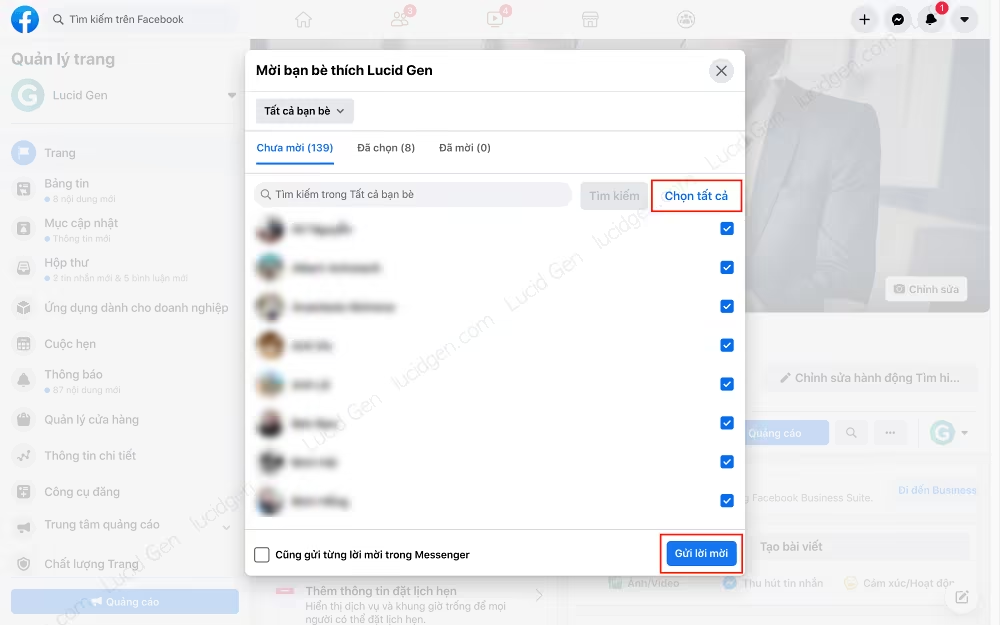
In the past, you had to click a separate button for each friend. Now Facebook lets you select everyone at once, which is very convenient, so I won’t cover any tools for this part.
How to invite people you don't know to like your page
Once you have invited all your friends, you can still invite people you don’t know to like the page: the people who react to your posts.
Here’s how:
- Step 1: Create a few engaging posts and wait for the likes to come in.
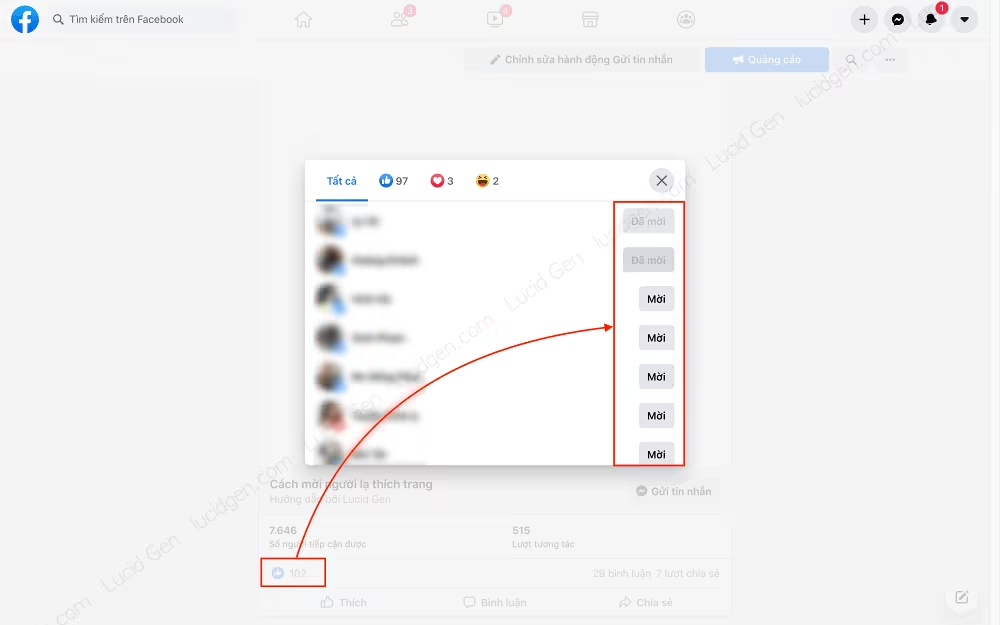
- Step 2: Open the list of people who liked the post.
- Step 3: Invite everyone who liked the post to like your page.
For step 1, I suggest creating a really appealing post, for example by sharing a useful document. If you can, run ads for a few days to get some initial engagement, then turn them off once organic engagement picks up.
When the post has a decent number of likes, move on to steps 2 and 3. Click the number of likes, then click the Invite buttons.
Other ways to get real likes on Facebook
Besides sending invitations, there are several other ways to grow your page likes organically.
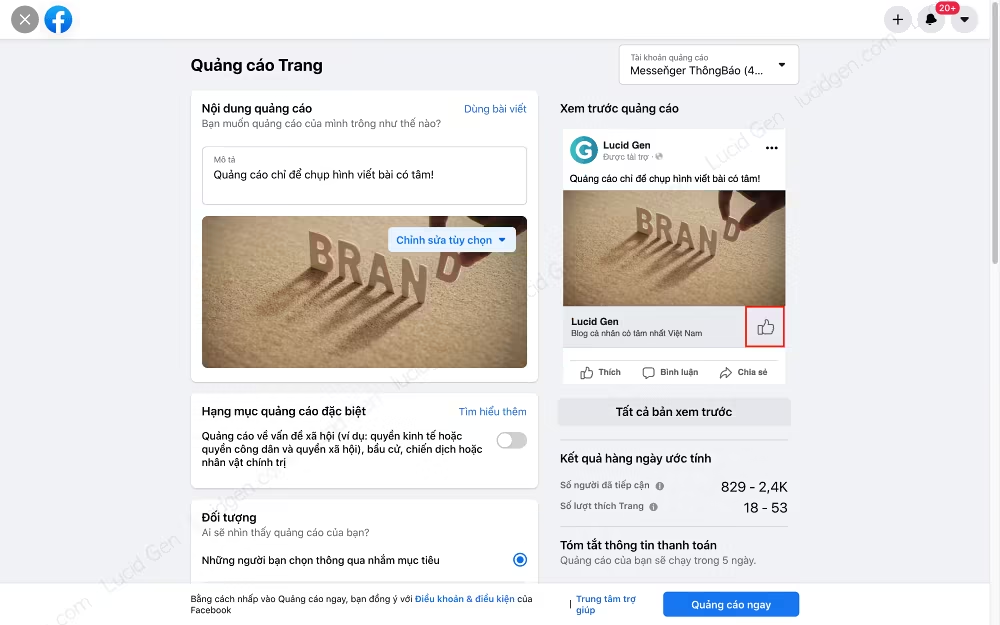
Run page-like ads
This one is simple: make sure your page has plenty of quality content before you run page-like ads. That way, you get real likes from the target audience of your products and services.
Share valuable content with your readers
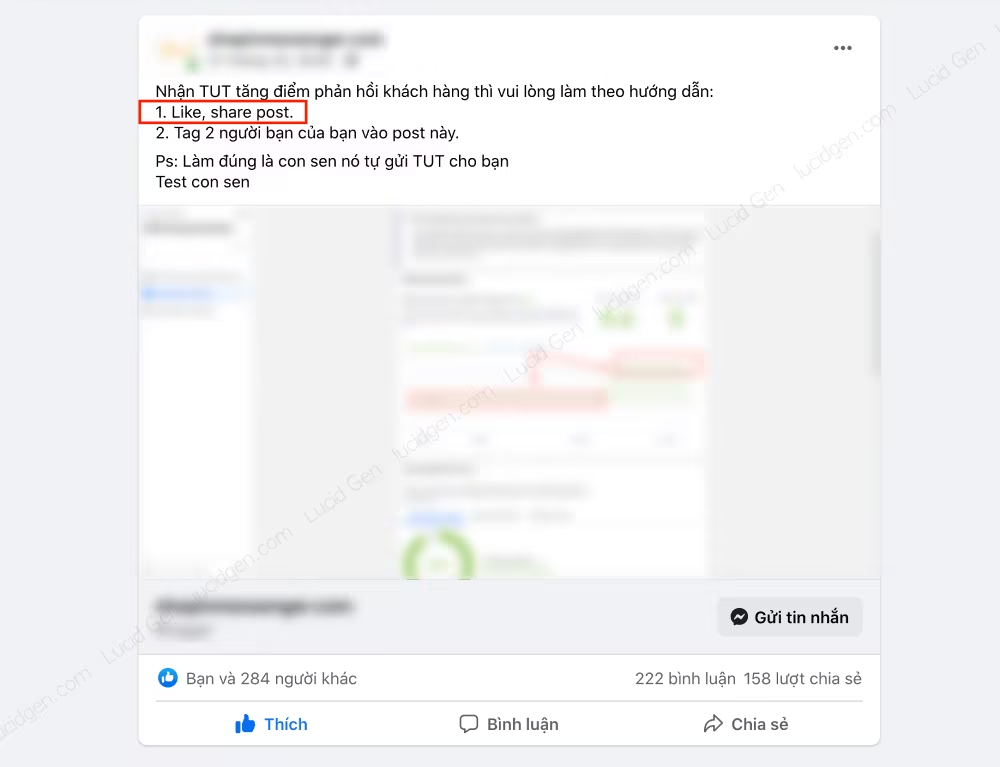
Create posts that share rare, valuable content with your readers, such as free handbooks, ebooks, tips, or vouchers. At the end of the post, you can invite readers to follow the page for more content like this. Just don’t require people to like, share, or comment to receive the gift, because Facebook treats that as engagement bait and will reduce the post’s reach.
Like and share the post yourself, and ask a few friends to help get things going. The more engagement and reach the post gets, the more page likes you are likely to receive.
Reshare Facebook page posts to your profile and groups on the same topic
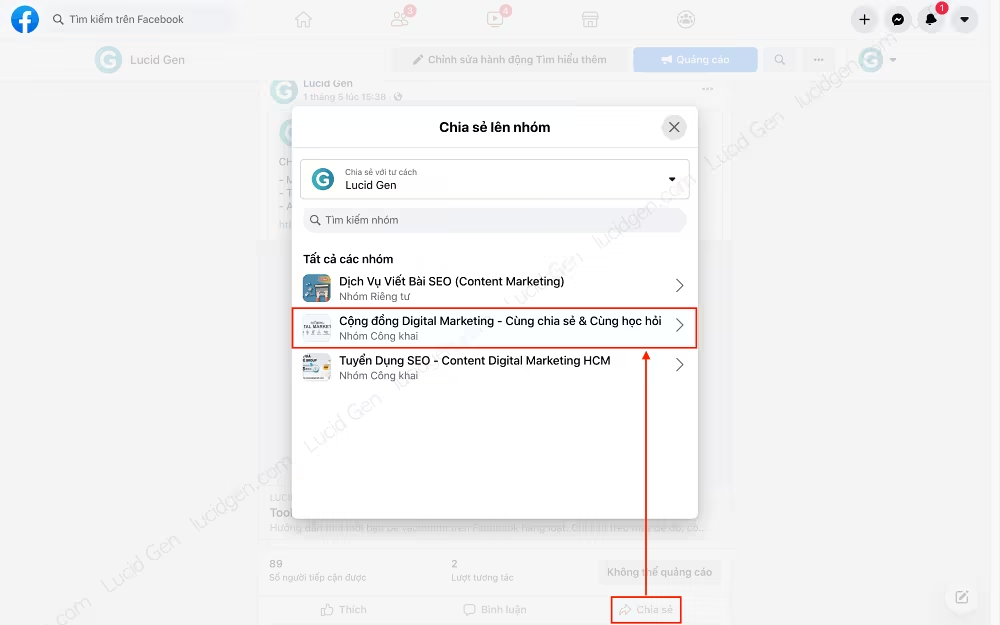
This method helps your page reach the right audience quickly, but be careful not to overdo it and come across as spam. Here are the steps:
- Step 1: Join groups related to the page’s products and services.
- Step 2: Pick posts that are genuinely helpful, not ones that only advertise your products.
- Step 3: Share the posts to your profile if you have many friends, and to the groups you joined in step 1. Make sure to check “Include original post” if the option is available.
Link Facebook page to other social networks
If you sell on other channels or use other social networks, don’t forget to tell your customers about your Facebook page. For example:
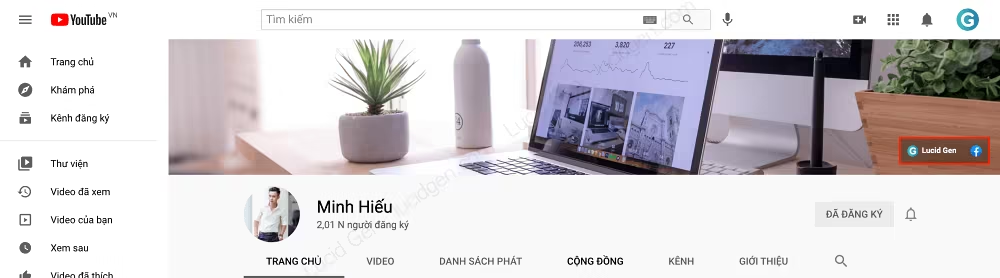
- Embed it on your website, like Lucid Gen does.
- Connect your social accounts, for example, link Instagram to Facebook.
- Add a link to your Facebook page when posting on other channels. Use a short link like
fb.com/lucidgen.
Optimize SEO for the Facebook page
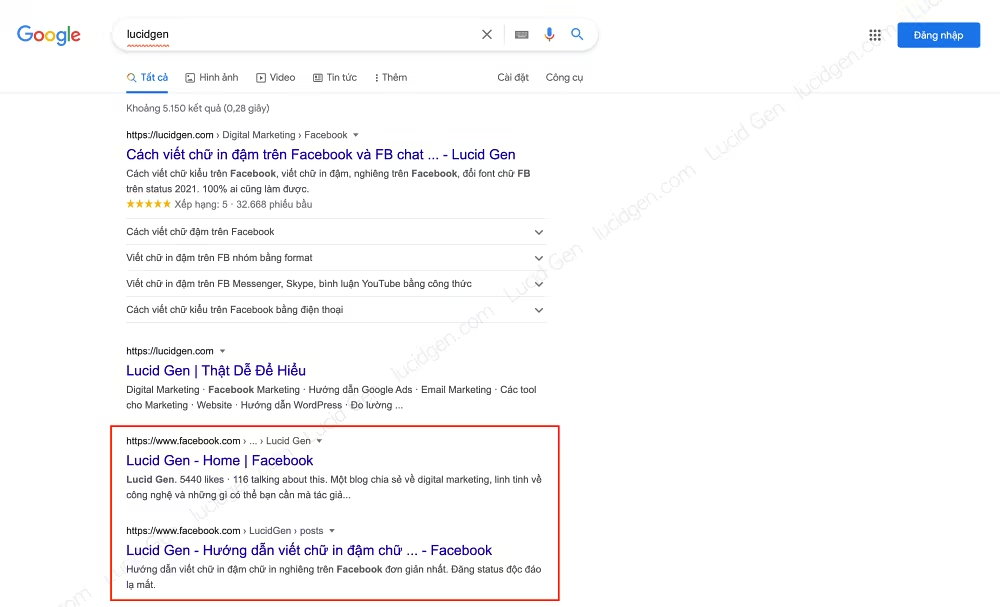
You can no longer submit your Facebook page’s URL to Google like you could in the past, but you can add a link to it on your website so Google’s crawler can find and crawl your page. That way, your page may show up in Google search results, giving you another chance to get likes.
Use Page Insights
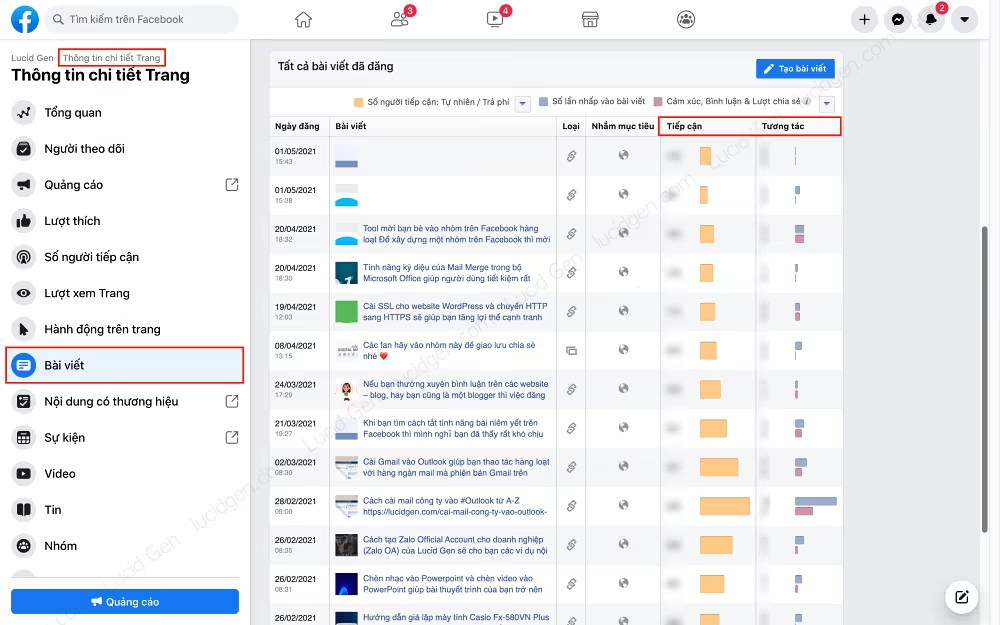
Use Insights to see which age groups and genders make up most of your fans. Also look at which posts get the most engagement, then create more content like them.
Organize a mini-game on your Facebook page
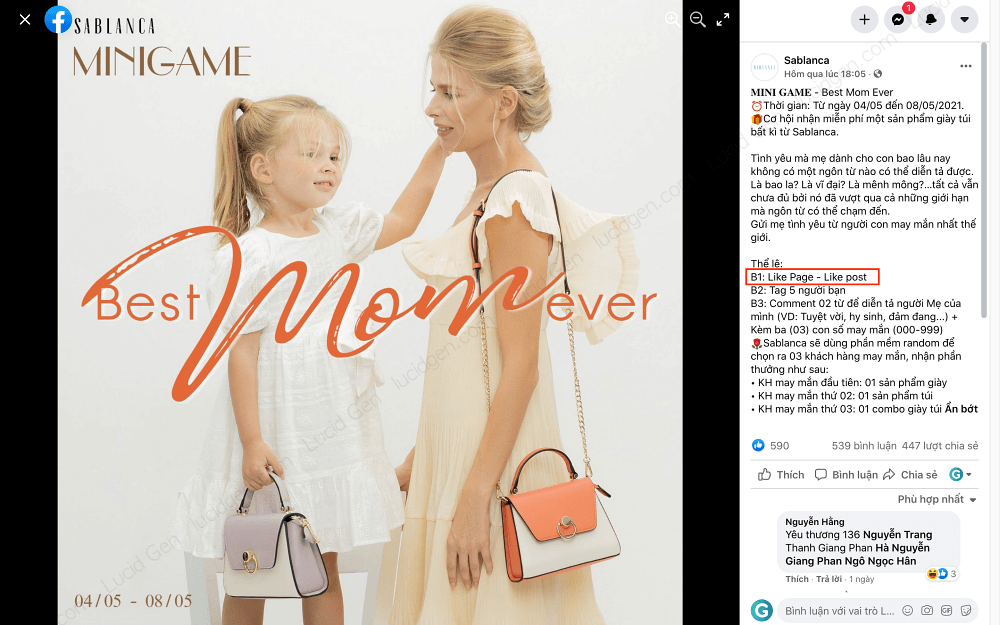
Run mini-games with prizes right on your page to attract people who are interested in your products and services. Mini-games must follow Facebook’s Pages, Groups and Events Policies, so don’t require players to share the post, tag friends, or promote the game for you. Things to note when creating mini-games:
- The prize should be attractive.
- Keep the rules simple so anyone can take part.
- Clearly state the rules, the timeline, how winners are chosen, and that the promotion is not sponsored by or associated with Facebook.
- Make the questions about your products or the content on your page. People who are truly interested will follow the page on their own so they don’t miss the next one.
- There should be an element of chance. For example, out of 10 people who answer correctly, only two people will win, and they will be randomly selected.
- Announce the winner and pay the prize properly when the mini-game ends.
Join topic-related groups as your page
You can join groups related to your page’s topic as your page, then post or answer members’ questions as your page. Read the group rules before posting and only comment when you can genuinely help, because people who find your answer useful will visit your page on their own. Don’t leave drive-by comments or reply to other pages’ customers on their posts, since this is easily reported as spam and Facebook may restrict your page.
Conclusion
Getting real likes on Facebook takes a lot of effort, especially when it comes to creating content that draws people in. If your personal account has many friends, invite them to like the page. When your posts start getting plenty of engagement, invite the people who reacted to like the page too. Which method do you think works best? Share your experience in the comments below.


