

Power BI is one of the most popular data analysis and reporting tools today. Its strength is building visual, lively report dashboards that you can customize freely while viewing the report. Power BI only supports Windows, but don’t worry if you use a Mac. Lucid Gen will show you how to install Power BI on both Mac (MacBook) and Windows.
| Application | Power BI |
| Operating system | macOS and Windows |
| Supporting tool | Parallels for macOS |
| How to use | Directly and via an emulator |
Install Power BI on Windows
Power BI and Windows are both Microsoft products, so installing Power BI on Windows is very easy. You can install Power BI Desktop from the Microsoft Store or download the installer and run it yourself.
Get Power BI Desktop from the Microsoft Store
Open the Microsoft Store app > search for Power BI Desktop > click the Get button. It’s completely free.
Note: Power BI Desktop is for computers, while the Power BI app is for phones and tablets.

Install Power BI Desktop with the installer file
If you can’t get Power BI Desktop from the Microsoft Store, download the direct installer from Microsoft and follow the steps below.
Step 1: Open the Power BI installer > select a language > Next.

Step 2: Tick the box to accept the license terms > Next.

Step 3: Click Install, then Finish to complete the installation of Power BI Desktop on Windows.

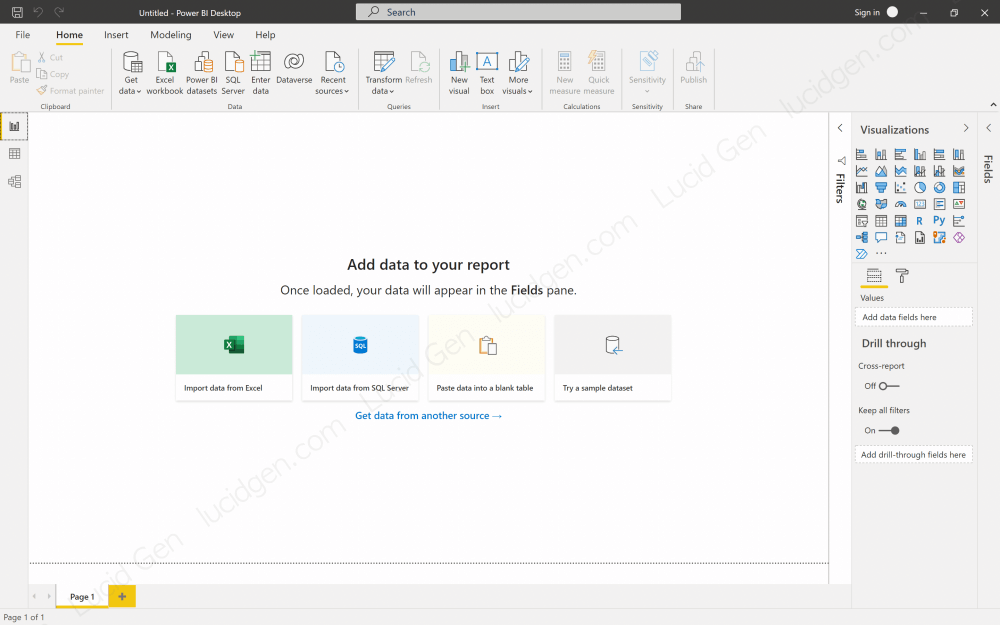
Now open Power BI and enjoy the result. This is the welcome screen. You can close it or click the Get started button to sign in to your account.

This is the familiar default Power BI interface, and you’re ready to start using it.
Install Power BI on Mac
As you may know, there is no Power BI app for macOS yet. To install Power BI on a Mac (MacBook), you need to run Windows in an emulator first, then install Power BI the same way as on Windows above.
Emulate Windows on Mac
Follow the guide on how to emulate Windows on Mac with Parallels to get a Windows window right inside your MacBook.
Install Power BI on Mac the same way as Windows
The process above takes some effort, but you only need to do it once. Now open the Microsoft Store inside the virtual machine to get Power BI Desktop, or use the installer as described in the Windows section. That’s it, you can now use Power BI on your Mac (MacBook).
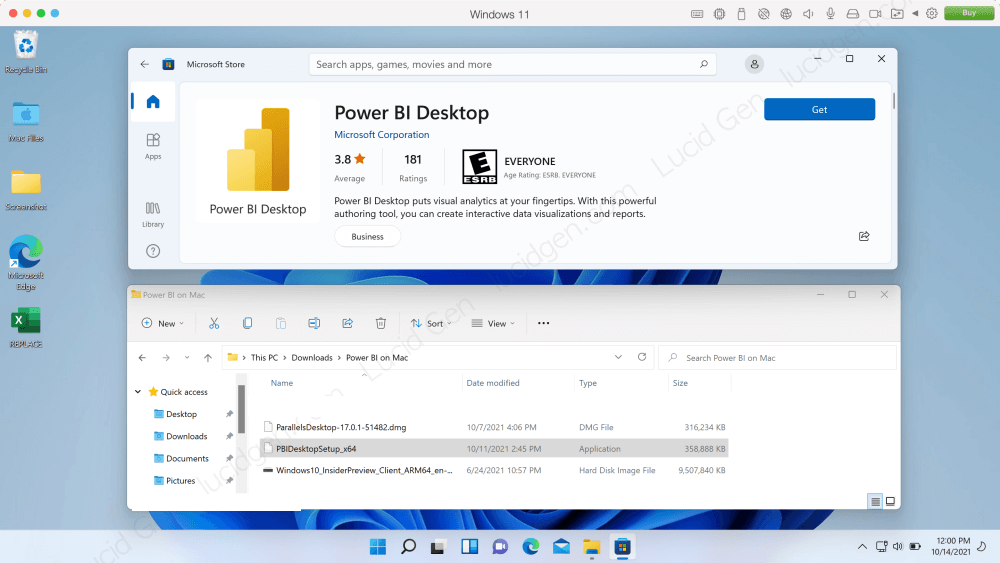
While using Power BI on your Mac, avoid opening too many other apps. Only keep the ones you really need, because the virtual machine also uses quite a lot of RAM.
Frequently asked questions
Why is Power BI not on the App Store?
My guess is that this is how Microsoft keeps people on Windows. Office is available on Mac because it’s a paid product, while Power BI Desktop is free, so Microsoft probably has little reason to build it for Apple’s platform.
Is it inconvenient to use Power BI on Mac?
It may lag a little because you’re running Power BI through a virtual machine. However, newer Parallels updates have made virtual machines much smoother.
Conclusion
Hopefully Microsoft will release Power BI for Mac someday so macOS users don’t have to go through all this. Power BI is often used together with Excel, so install Office on your Mac if you don’t have it yet. If you found this article useful or have any questions, feel free to leave a comment below. Good luck installing Power BI!


