

In early 2023, ChatGPT started going viral on forums and social networks, especially in marketing and technology groups, so I started exploring it too. Back then, signing up took several steps, including email and phone number verification. Today the process is much simpler: you can sign in with a Google, Microsoft, Apple, or email account, and you can even try ChatGPT without an account. I have updated the sign-up steps in this article to match the current process (10/2026), along with a few impressions from when I first used it.
What is ChatGPT?
ChatGPT is a product of OpenAI, a company specializing in artificial intelligence (AI). ChatGPT can answer complex questions across many fields coherently and get straight to the point. Besides answering questions, it is helpful for brainstorming, drafting, translating, and writing code. Its knowledge comes from training data with a cutoff date; newer versions can also search the web for recent information, but answers can still be wrong, so you should check important facts against the original sources.
Personal experience with ChatGPT
After creating a ChatGPT account and using it for a few days (in early 2023), here are my personal impressions:
Good points
- Answers get straight to the point: This saves you from searching in many places and spending a lot of time reading and summarizing. However, searching and synthesizing are still essential skills, and you should not lose them because of AI.
- Answers are coherent and clear: I had an “Oh wow” moment when I first used ChatGPT; the way it presented answers was easy to read and understand. It even added comments to explain its suggested code snippets.
- Can answer questions that are hard to search for: Some questions are subtle and hard to find answers to on Google, partly because many SEO-driven websites pad their content or don’t really answer what their titles promise.
- Writes clean code: For coding questions, such as Python programming, ChatGPT gives you tidy sample code.
- Can reason through a problem: For questions involving scenarios and numbers, ChatGPT can analyze them and give answers with clear explanations, which a regular search engine struggles to do.
- Can give alternative answers: If you don’t like an answer, you can ask ChatGPT to answer again in a different way.
- Understands context within a conversation: In the same conversation, ChatGPT remembers what you said earlier, so the clearer your feedback, the closer its later answers get to what you want.
Bad points
- Sometimes gives wrong answers: Because ChatGPT learns from human-written data, it sometimes gives wrong answers while still sounding very confident. For example, when I asked it to write some Python code, the code was sometimes incorrect, unusable, or needed tweaking before it worked.
- Long answers often got cut off (in 2023): When I first used it, ChatGPT often stopped mid-answer, especially in Vietnamese. OpenAI has improved this in later versions, so you may see it less; if it still happens, just type “continue” and it will finish the rest.

Things to know before signing up
- You can try it without an account: Go to chatgpt.com and start typing without logging in. However, while logged out you cannot save your chat history and many features are limited, so if you use it regularly, an account is still worth it.
- Age: According to OpenAI’s terms, you must be at least 13 years old, and if you are under 18 you need permission from a parent or legal guardian.
- Supported regions: ChatGPT is only available in certain countries and territories. Check OpenAI’s official list of supported countries. Accessing it from an unsupported location may get your account blocked or suspended.
- Your account is yours alone: OpenAI’s terms do not allow you to share your login credentials or let others use your account. Sharing also means other people can read your entire chat history, so everyone should create their own account.
How to create a ChatGPT account step by step
The screenshots below were taken in 2023, so the interface looks a bit different now; the steps are written for the current process (10/2026).
Step 1: Open the sign-up page. Go to chatgpt.com and click the Sign up button in the top right corner.
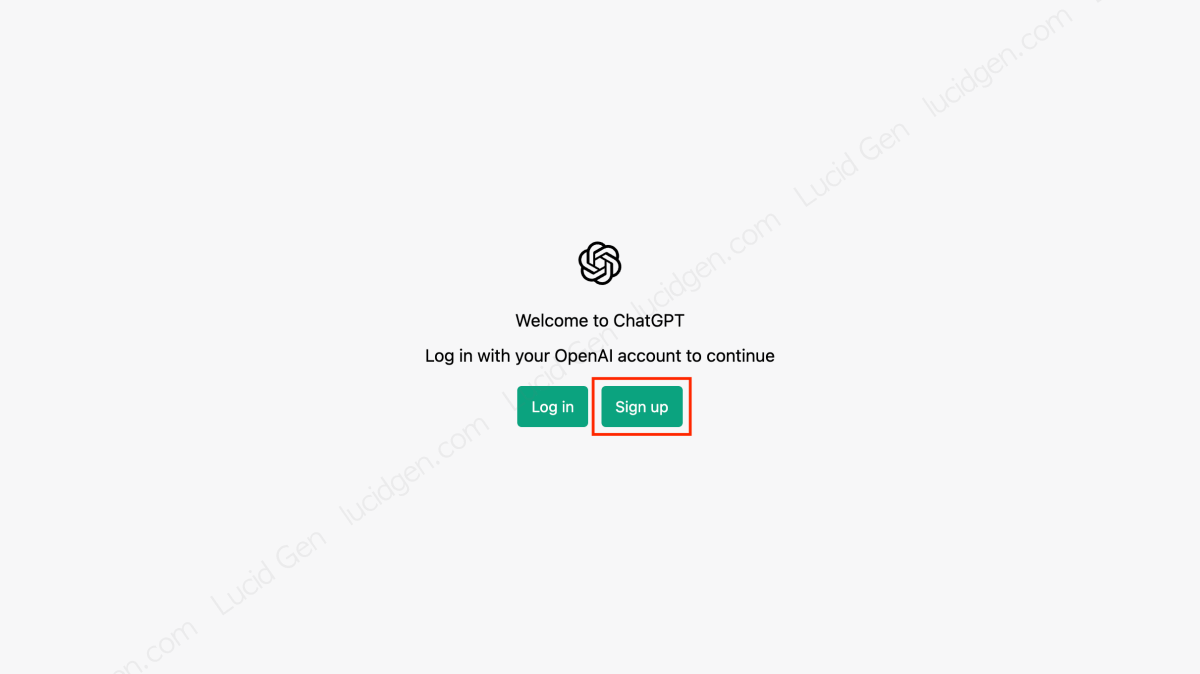
Step 2: Choose how to sign up. You can pick Continue with Google, Continue with Microsoft Account, Continue with Apple, or enter your email (some regions also offer sign-up with a phone number). Signing in with Google, Microsoft, or Apple is the fastest because you don’t need a separate password or an email verification step.

Note: Remember which method you used. If you created the account with Google, sign in with Google next time too; don’t try to enter an OpenAI password, because that account doesn’t have one.
Step 3 (email sign-up only): Set a password and verify your email. Create a password, then open your inbox, find the verification email from OpenAI, and follow the instructions. If you can’t find it, check your Spam or Promotions folder.

Step 4: Enter your details. The first time you log in, ChatGPT asks for your name and date of birth to confirm your age. Fill them in correctly and click Continue.

Unlike in 2023, SMS phone verification is no longer a mandatory step for every new user. Depending on the situation, the system may still ask you to verify further; if so, just use your own phone number.
That’s it! You have successfully created a ChatGPT (OpenAI) account. Time to start exploring.

How to use ChatGPT
Just type your question in the chat box and press Enter, and ChatGPT will answer right away. If you are not happy with an answer, click the retry button (the circular arrow icon) below the answer to have ChatGPT rewrite it, or send a more specific follow-up. If you prefer a dark interface, you can switch to Dark mode in your account settings (10/2026).
Keep questions on the same topic in one conversation so ChatGPT understands the context and what you want. For a different topic, start a new conversation, because old context can sometimes push answers off track.
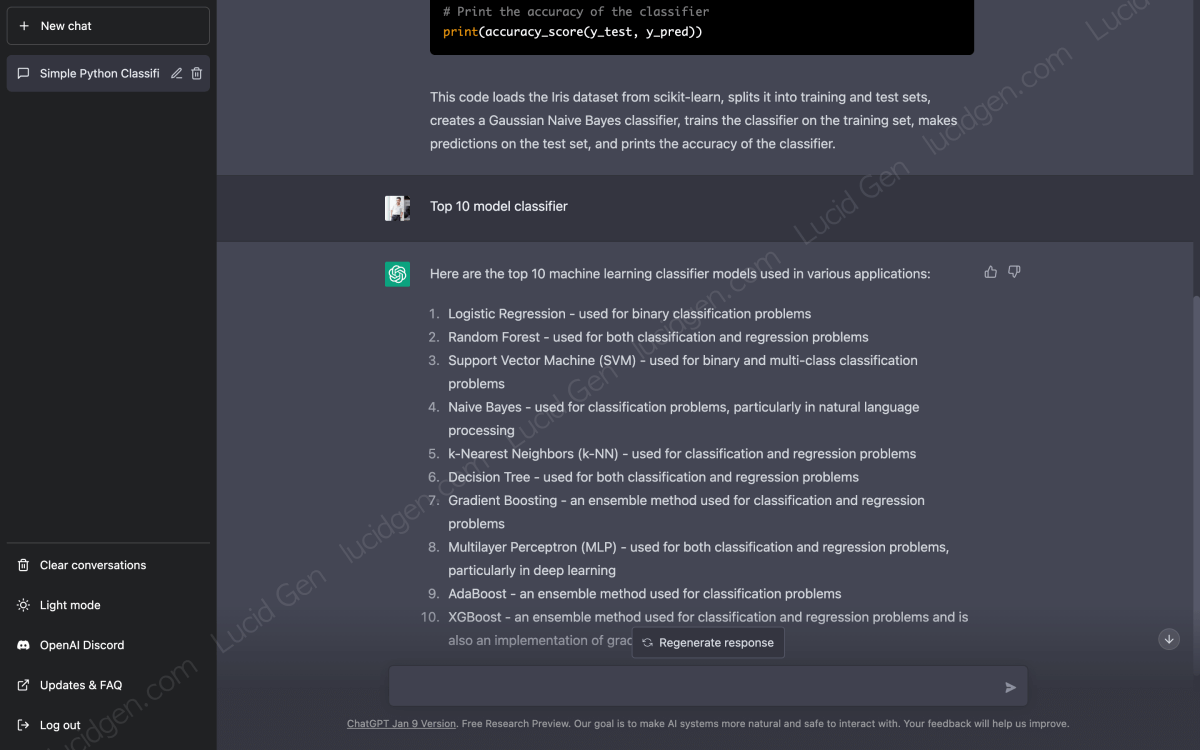
ChatGPT also supports many other languages, including Vietnamese. You can ask in your own language as usual; for technical topics, keeping the English terms tends to give more accurate answers.

Note: Don’t send ChatGPT sensitive information such as passwords, card numbers, or customer data. If you don’t want your conversations used to improve the models, you can turn this off under Data controls in the settings.
Frequently asked questions
Can ChatGPT replace Google?
In my view, that’s unlikely. The most basic reason is that AI has to learn from human-generated content; without websites written by people, AI wouldn’t have much new knowledge to learn from. There are also many reasons related to our habits, such as citing the source of knowledge, discussing things on forums, and searching and synthesizing on our own.
Can ChatGPT replace content creators?
I don’t think so. ChatGPT is a good tool for getting ideas, but it struggles to produce complete content on its own (for example, an article based on real experience like this one). First, its writing style feels rather mechanical. Second, it has no experience of its own and only synthesizes what others have written, so it doesn’t add new value for readers.
Is ChatGPT free?
You can use ChatGPT for free with some limits on usage and features. OpenAI also offers paid plans if you need more; prices and benefits change over time, so check the upgrade section in your account for the latest details.
Conclusion
Compared to 2023, creating a ChatGPT account is now much faster; a few clicks with a Google, Microsoft, or Apple account is all it takes. One thing I want to repeat: don’t trust ChatGPT blindly, and always double-check important information, especially numbers and code. What do you think about the future of ChatGPT? Leave a comment below and let’s discuss.


hello, again thanks for all that hard work and hours to help us, unfortunately, i am in china, and can get through the first few steps and all that, but no friends in the US, no Visa … is there any other ways ? wechat pay maybe ? … i m stuck here
Hello, you have to find any SMS service that accepts your payment methods and provides US or UK phone numbers. Good luck!
Hi author,
Do you know how many code can be received per phone number in SMSPool service?
Thanks
Hello, only one code.
This is the best way to creata an account , thank you very much
Congratulations!